Orient before you work.
See where the project stands, which outcomes are active, and the single best next move.
HUMAN-OWNED AI PROJECT MANAGEMENT
Start in Haingar to orient, continue the right Work Thread in whichever AI fits, and return with a clean handoff.
For people tired of losing the thread across AI tools and ready to manage AI work like real work.
Your AI tools are where work gets done. Haingar is where the project comes together.

THE PRODUCT WALKTHROUGH
WORKS WITH THE TOOLS YOU ALREADY USE
WHY I BUILT HAINGAR

“I was using more and more AI - and somehow feeling less organized.”
I had useful work spread across different chats and different tools. I was losing decisions, forgetting where something had been made, and repeating the same background every time I started a new session.
AI was helping me move faster. But I was spending more time trying to remember, recover, and re-explain the work it had already done.
So I built Haingar: one place to keep the project itself clear while I continue using whichever AI tool is best for the job.
THE MISSING PROJECT LAYER
Chats are good at producing. Projects need direction, review, decisions, and continuity. Haingar adds that layer without asking you to leave the AI tools you prefer.
See where the project stands, which outcomes are active, and the single best next move.
Give each outcome a stable human name, living brief, connected work, and focused AI prompt.
Use Claude, ChatGPT, Codex, or Cursor, then leave a clean handoff so the project stays coherent.
THE MASTER DOC
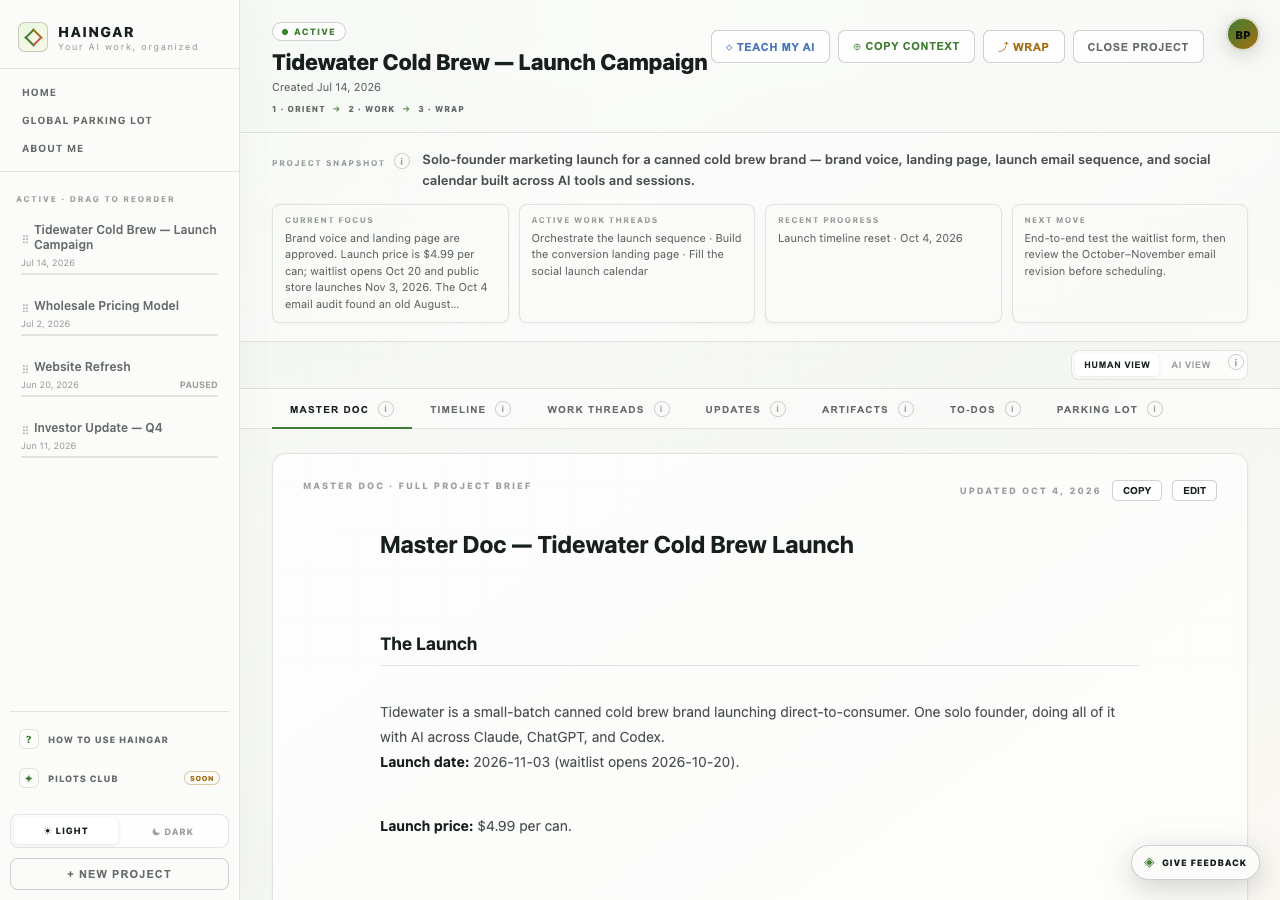
Every project has a Master Doc: the durable reference for its goals, decisions, architecture, messaging, constraints, and open questions.
AI can propose changes. You decide what becomes true. The next session starts from reviewed context—not a transcript dump and not a blank prompt.
A SIMPLE OPERATING LOOP
Haingar stays lightweight so your time remains inside the tools doing the work.
Open the active Work Thread and recover its current state, open questions, and next move.
Continue the outcome in whichever AI tool fits without moving the whole project.
Bring back the decisions, useful outputs, unresolved questions, and next move—not every message.
The Work Thread now carries a clean working state into the next session or AI tool.
YOU MIGHT BE WONDERING
Haingar is a new kind of layer in the way we work with AI. These are the questions people usually ask once the idea clicks.
Usually, it isn’t the AI forgetting - it’s me. There are too many chats, drafts, decisions, and next steps to keep straight. Native memory helps an AI recall things about you. Haingar keeps the project organized so you can see what’s current and what happens next.
A chat records what was said. Haingar records what changed: the decision, the useful output, the open work, and the handoff to the next session.
It should reduce administration, not create it. You keep working in your preferred AI tools; Haingar is the small layer that prevents repeated explanations and lost work. Haingar connects through MCP, so your AI tool of choice can pull project context and file updates without you manually moving everything around.
Nothing AI-generated should become project truth automatically. You review and edit the work before it becomes part of the Master Doc or trusted project state.
EARLY BETA
Haingar is recruiting a small group of founders and builders who already use AI for meaningful project work.